
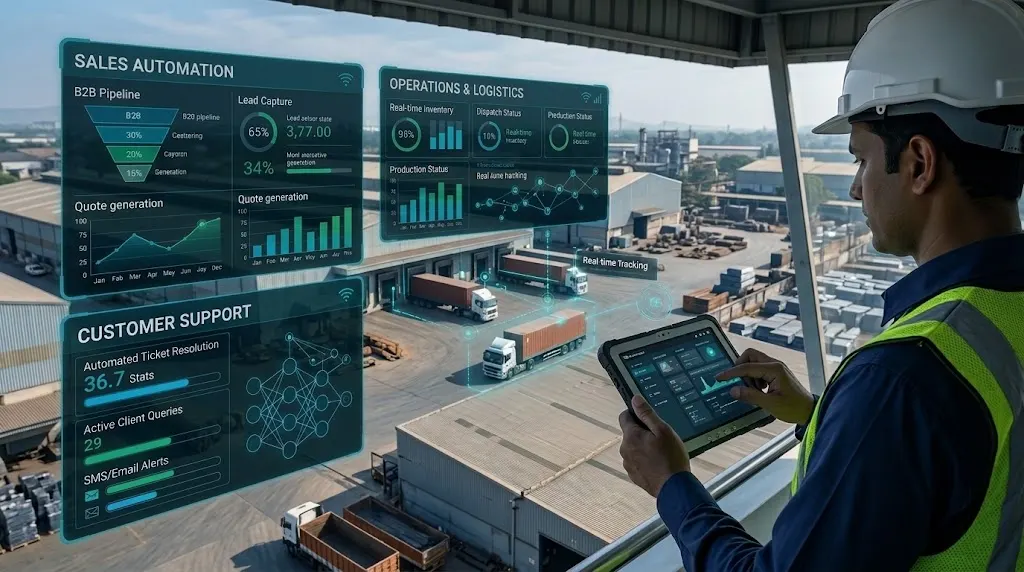
Boisar is one of the busiest industrial hubs in Maharashtra. Every day, factories in Tarapur MIDC and local suppliers move huge volumes of goods. They handle chemical production, textiles, engineering parts, and logistics.
However, many growing companies here still run on manual work. Teams track sales on spreadsheets. Staff send production updates through chat apps. Support agents answer the same buyer questions over the phone all day.
These manual habits work when a business is small. As order volumes grow, manual steps slow everything down. Staff make mistakes, orders get delayed, and buyers lose patience.
Business automation fixes this problem. It uses software to handle repetitive daily tasks. It connects your sales desk, your factory floor, and your support team into one smooth system.
Why Manual Workflows Slow Down Boisar Businesses
When teams work in separate tools, information gets trapped. One department does not know what the other is doing. This creates four common problems:
- Slow quotes and lost leads: Sales reps have to call the warehouse to check stock before sending a price quote. If that takes two days, the buyer may go to a competitor.
- Data entry errors: Typing the same order details into a spreadsheet, a billing tool, and a dispatch log takes hours. One wrong number can ruin a shipment.
- Blind spots in production: Managers cannot see real-time order progress without walking onto the shop floor or making phone calls.
- Delayed customer replies: When a client asks where their truck is, support staff must chase the dispatch team for an answer.
Replacing these manual habits with connected software saves time. Your staff can stop copying data and start focusing on real growth.
1. Automating the Sales Process
In B2B manufacturing and wholesale, speed and follow-up win deals. Sales automation keeps every inquiry moving forward without constant manual checks.
Central Lead Capture
Inquiries come from many places. Buyers reach out via your website, email, phone calls, or trade directories. An automated sales system pulls all these leads into one central dashboard. No inquiry gets buried in an inbox.
Automatic Follow-Up Reminders
Industrial buyers rarely purchase on the first call. They need samples, technical sheets, and revised quotes. Automated software sets tasks for your sales reps and sends polite follow-up emails on schedule. Your team never forgets to call a prospect back.
Instant Quote Generation
When your sales tool connects to your product catalog, reps can build accurate quotes in minutes. Once a manager approves a discount on their phone, the system sends the final PDF straight to the buyer.
2. Automating Daily Operations and Production
Once a buyer approves a quote, the real work begins. If sales and operations do not share data, the handoff becomes messy. Automating operations keeps orders moving from the office to the loading dock.
Direct Order Handoffs
With custom software development, an approved sales quote turns into a work order right away. The system checks raw material stock, reserves the items, and adds the job to the production schedule. Nobody has to type the order twice.
Live Stock and Purchase Alerts
Running out of raw materials stops a factory line. Automated inventory tools track stock levels in real time. When a chemical or packaging item drops below a safe limit, the software alerts your purchase team. It can even draft a purchase order for your regular vendor.
Dispatch and Billing Sync
When the floor team marks a batch as finished, the system alerts the logistics desk. It generates packing lists, creates invoices, and logs transport details. Management in Boisar or a head office in Mumbai can see exact daily output on a live screen.
3. Automating Customer Support
Industrial buyers and retail partners expect quick, clear answers. They want to know about order status, test certificates, billing, or maintenance visits. Automating customer support gives them fast answers without burning out your team.
Smart Ticket Routing
When a client emails or messages with an issue, the system logs a support ticket automatically. It assigns the ticket to the right person, such as quality control, billing, or field maintenance. It also tracks how long the team takes to solve the problem.
Automated Order Updates
Most support calls are simple status checks. You can eliminate half of these calls by sending automatic updates. When an order passes quality checks or leaves the gate in Boisar, the system sends a text or email with the tracking details.
Self-Service Portals and AI Assistants
For regular buyers, a simple client portal saves hours of phone tag. Clients can log in to download past invoices, check batch reports, or reorder standard items. You can also use AI software development to add a smart assistant that answers common product questions at any hour.
Practical Example: How a Connected Workflow Runs
Imagine a packaging manufacturer in Tarapur MIDC. Before automation, taking an order and shipping it required twelve phone calls and four different spreadsheets.
With a connected system, the workflow looks like this:
- Inquiry: A Mumbai buyer submits a request for 10,000 boxes on the company website.
- Sales Action: The system logs the lead, checks current paper roll stock, and helps the rep send a quote in ten minutes.
- Operations Trigger: The buyer clicks approve. The software locks in the paper stock, schedules the cutting machine, and notifies the plant manager.
- Support Update: When the boxes are packed and loaded onto a truck, the system sends the invoice and driver details to the buyer automatically.
The entire process runs smoothly. Every team sees the exact same data at the exact same time.
How to Start Automating Without Disrupting Your Team
Many business owners worry that new software will confuse their staff or pause daily work. You do not need to change everything overnight. A step-by-step approach works best.
- Map your biggest bottleneck: Sit with your sales, plant, and support leads. Find the one task that wastes the most time or causes the most errors.
- Clean up your data: Before moving to new software, organize your customer lists, item codes, and pricing sheets.
- Connect your existing tools: If you already use accounting software, do not replace it if it works well. Build custom tools that share data with it.
- Start with one department: Launch sales tracking or dispatch automation first. Let your team get comfortable before adding more features.
- Train for daily use: Keep the software screens clean and simple. A floor supervisor should be able to update an order status in two clicks on a mobile phone.
Choosing the Right Software Approach
Every business works differently. Some small traders can use basic, off-the-shelf cloud tools. However, factories and B2B suppliers in Boisar often have unique rules for batch tracking, custom pricing, or multi-step approvals.
When standard tools do not fit, custom software development and ERP software development give you full control. You get a system built around your exact workflow, rather than forcing your staff to change how they work. You also keep full control over your business data and security.
How Unovative Can Help
Working with a local technology team makes planning much easier. Unovative is an IT company in Palghar that builds custom software, automation platforms, and enterprise applications.
Because our head office is right here in Palghar West, we understand how businesses in Boisar, Tarapur MIDC, and across Maharashtra operate. We help companies move away from disconnected spreadsheets and manual tasks through:
- Enterprise Application Services: Custom CRM, ERP, and supply chain systems built for your daily operations.
- Intelligent Process Automation: Connecting sales, production, and customer support so data flows automatically.
- Business AI and Data Analytics: Turning your daily operational numbers into clear dashboards for better management decisions.
Conclusion
Growing companies in Boisar and Tarapur MIDC cannot rely on spreadsheets and phone calls forever. Manual processes slow down quotes, create factory bottlenecks, and frustrate buyers.
Business automation solves these challenges by connecting your sales, operations, and customer support into one clear system. You do not have to overhaul your entire company in a single day. Starting with one clear workflow like lead tracking, inventory alerts, or automated dispatch updates saves hours of manual work right away. Over time, these connected systems reduce errors and help your business handle more orders with ease.
If you are exploring how to implement business automation for your company, Unovative can help you evaluate your current workflows, identify the right software approach, and plan the next steps. Reach out through our contact page to schedule a conversation with our team in Palghar.