
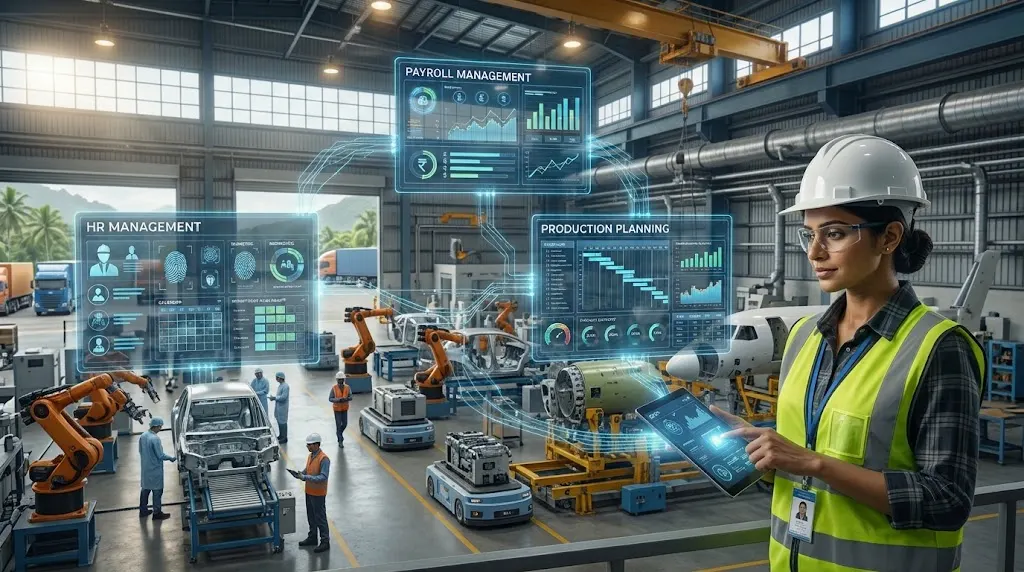
Manufacturing companies depend on people, machines and materials working together. However, when HR, payroll and production planning use separate systems, sharing information can become difficult. This can lead to scheduling delays, payroll errors, poor workforce visibility and unnecessary manual work.
For manufacturers in Palghar, Boisar and the Tarapur MIDC industrial area, these challenges can affect daily operations. A production manager may prepare a shift schedule without knowing which employees are available. The HR team may maintain attendance records separately, while payroll staff collect working hours from multiple sources.
An integrated ERP system can help connect these activities.
An ERP Software Development Company can help manufacturers build or integrate business systems that connect employee information, attendance, payroll and production schedules. Instead of managing these functions independently, businesses can create a more connected process where departments work with consistent information.
Why Manufacturers Need to Connect HR, Payroll and Production Planning
Manufacturing operations involve several departments that depend on one another.
HR manages employee information and workforce records. Payroll handles salary calculations and related payments. Production planning decides how many employees are needed to complete scheduled manufacturing work.
When these functions are disconnected, even a small change can affect multiple departments.
For example, consider a factory that operates three shifts.
The production manager prepares a weekly schedule based on expected orders. However, an employee may take leave, attendance may change, or additional workers may be needed for an urgent production order.
If HR and production use separate records, the manager may not receive the updated workforce information on time.
Similarly, payroll may need to collect attendance, overtime and shift details manually before processing salaries.
An integrated ERP system helps reduce these information gaps by connecting the relevant business processes.
Common Problems Caused by Separate Systems
Manufacturers may face several issues when HR, payroll and production planning operate independently.
- Attendance mismatches: HR and production teams may maintain different records of employee working hours.
- Manual payroll calculations: Payroll staff may need to collect attendance, overtime and shift information from multiple sources.
- Poor workforce planning: Production managers may not have a clear view of employee availability.
- Shift scheduling conflicts: Changes in leave or employee allocation may not reach supervisors quickly.
- Delayed reporting: Management may need to combine information from different departments to understand labour costs.
- Limited workforce visibility: Managers may struggle to compare planned staffing with actual attendance.
These problems can become more difficult as a factory adds employees, shifts, production lines or new manufacturing orders.
How ERP Software Connects HR and Employee Management
An ERP platform can bring employee information into a centralized business system.
This does not mean every department should access all employee records. Instead, each team receives the information required for its work, based on assigned access permissions.
For manufacturing businesses, an HR module may manage:
- Employee profiles and identification details.
- Department and job roles.
- Employment information.
- Shift assignments.
- Leave applications and approvals.
- Attendance records.
- Employee joining and exit details.
- Training and skill information.
For example, a factory may have employees assigned to assembly, packaging, quality control and warehouse operations.
The HR team maintains their employee records and department assignments. Production managers can use approved workforce information to understand which employees are available for scheduled operations.
Employee Skills and Department Allocation
Employee availability is only one part of workforce planning. Managers also need to understand employee skills.
A production line may require workers with specific machine-handling experience or technical training.
An ERP system can maintain employee skill records and connect them with department or job requirements.
For example, if a production process requires trained machine operators, the manager can review the available employees who meet the required skill criteria.
This can support better workforce allocation and reduce confusion during shift planning.
How ERP Software Connects Attendance and Payroll
Attendance data plays an important role in payroll processing.
Manufacturing employees may work different shifts, overtime hours, weekly schedules and approved leave periods. Calculating salaries from separate spreadsheets can increase administrative work.
An integrated system can connect attendance information with payroll rules.
1. Centralized Attendance Records
The system can collect attendance information from approved sources, such as:
- Biometric attendance devices.
- Employee attendance applications.
- Supervisor-approved attendance records.
- Existing attendance management software.
The exact integration depends on the devices and software already used by the factory.
Once attendance information is available, HR can review employee working hours and identify missing or unusual entries.
For example, if an employee's attendance record shows an incomplete shift, the HR team can check and approve the correction before payroll processing.
2. Shift and Overtime Tracking
Factories often operate morning, evening and night shifts.
Some businesses also require employees to work additional hours during periods of high production demand.
An ERP system can maintain:
- Scheduled shift timings.
- Actual attendance.
- Approved overtime.
- Shift changes.
- Weekly offs.
- Leave records.
Consider a factory where employees work additional hours to complete an urgent order.
The production supervisor records the approved overtime. HR reviews the information, and payroll uses the verified hours according to the company's salary rules.
This reduces the need to collect overtime details manually from different supervisors.
3. Payroll Processing and Salary Records
Payroll software can use approved attendance and employee information to support salary calculations.
Depending on the company's policies and configuration, it may include:
- Basic salary.
- Allowances.
- Approved overtime payments.
- Leave-related adjustments.
- Deductions.
- Statutory contribution calculations.
- Salary statements.
- Payroll reports.
An important point is that ERP integration does not remove the need for payroll review.
Businesses must configure salary rules correctly and ensure that applicable statutory requirements are followed. HR and payroll teams should verify employee records and approved attendance before finalizing payments.
The EPFO provides official employer services and information for establishments covered under the Employees' Provident Funds and Miscellaneous Provisions Act. Manufacturers should ensure that their payroll processes support applicable requirements.
How ERP Connects HR with Production Planning
This is where an integrated ERP system becomes especially useful for manufacturers.
Production planning requires information about orders, available materials, machines and employees.
If workforce information is not connected to production planning, managers may create schedules that are difficult to execute.
1. Matching Employee Availability with Production Requirements
Production managers need to know how many employees are required for each shift or production activity.
An ERP system can bring together:
- Planned production quantities.
- Required employee numbers.
- Available workforce.
- Department assignments.
- Approved leave information.
- Shift schedules.
For example, a manufacturing unit in Boisar plans to produce 2,000 components during a particular shift.
The production manager checks the workforce requirement and compares it with the available employees.
If the required number of trained workers is not available, the manager can review the schedule or consider an alternative allocation.
This makes workforce planning more informed.
2. Connecting Shift Scheduling with Production Orders
Production orders define what needs to be manufactured and when.
Employee schedules determine who will carry out the work.
An integrated system can connect these two activities.
For example:
- A production order is created.
- The required production quantity and deadline are recorded.
- The manager identifies the employees and skills needed.
- HR or the authorized supervisor confirms workforce availability.
- Employees are assigned to the relevant shifts.
- Production progress is recorded against the order.
If the production requirement changes, managers can review the impact on staffing and shift allocation.
This creates a clearer connection between business demand and workforce planning.
3. Tracking Planned and Actual Labour Costs
Labour is an important part of manufacturing costs.
However, planned staffing costs may differ from actual expenses due to overtime, shift changes, absenteeism or additional labour requirements.
A connected ERP platform can help compare:
- Planned employee hours: Estimate workforce requirements.
- Actual working hours: Review recorded attendance.
- Approved overtime: Track additional labour.
- Department-wise staffing: Understand employee allocation.
- Production output: Compare workforce and output.
- Labour costs: Review production-related expenses.
For example, a factory may plan a certain number of employee hours for an order but require additional overtime to complete it.
Managers can review the difference between planned and actual labour costs.
This information helps businesses understand where staffing or scheduling adjustments may be needed.
Important ERP Features for Manufacturing Companies
Manufacturers should select an ERP system based on their operational requirements.
The following features can help connect HR, payroll and production planning.
1. Integrated HR Management
A centralized employee database helps maintain consistent employee information across departments.
It should support employee profiles, department assignments, leave records and relevant workforce details.
2. Attendance and Payroll Integration
Attendance records should connect with payroll through defined approval and validation processes.
This helps reduce duplicate data entry and supports more consistent salary processing.
3. Production Scheduling
Production planning features should support production orders, shift schedules, employee allocation and planned completion dates.
4. Role-Based Access Control
Different users should have different access permissions.
For example:
- HR can manage employee records.
- Payroll staff can process salary information.
- Production managers can view approved workforce availability.
- Supervisors can update assigned shift and production records.
- Management can access relevant reports.
Salary and personal employee information should remain restricted to authorized users.
5. Management Dashboards
A connected dashboard can help management review important operational information.
Possible indicators include:
- Employee attendance.
- Department-wise workforce availability.
- Overtime hours.
- Planned versus actual production.
- Shift-wise staffing.
- Labour costs.
- Pending production orders.
The dashboard should present information that helps managers take action, rather than simply displaying large amounts of data.
6. Notifications and Approval Workflows
Automated notifications can help departments respond to important changes.
Examples include:
- Employee leave awaiting approval.
- Attendance records requiring correction.
- Overtime awaiting authorization.
- Production shifts with insufficient staffing.
- Changes to production schedules.
Approval workflows also help maintain accountability by recording who reviewed or authorized important changes.
How Manufacturers in Palghar Can Implement an Integrated ERP System
Introducing ERP software requires more than selecting a product. Manufacturers should first understand how their departments work and what information they need to exchange.
A phased implementation can make the process easier to manage.
Step 1: Review Existing HR and Production Processes
Start by documenting how employee information, attendance, payroll and production schedules are currently managed.
Identify:
- Which tools HR uses to maintain employee records.
- How employees record attendance.
- How overtime is approved.
- How payroll information reaches the accounts team.
- How production managers assign employees to shifts.
This review helps identify where manual work and duplicate records occur.
Step 2: Define Data-Sharing Requirements
Not every department needs access to every business record.
Define which information should be shared.
For example:
HR: Manages employee details, leave records and attendance.
Payroll: Handles approved working hours, overtime and salary records.
Production: Manages workforce availability, employee skills and shift allocation.
Finance: Tracks payroll expenses and labour costs.
Management: Reviews workforce information and production reports.
This makes the integration easier to plan and helps protect confidential employee information.
Step 3: Select the Right ERP Approach
Manufacturers can consider different approaches depending on their existing systems.
Existing ERP with additional modules: Businesses already using ERP software may be able to extend it with HR, attendance or production-planning features.
Custom ERP development: Companies with specific workflows may need custom applications or additional modules that match their operations.
Integration with existing software: A business may already have separate HR and payroll applications. Connecting them with production planning software can be more practical than replacing everything.
The right option depends on cost, existing infrastructure, employee requirements and future business plans.
Step 4: Test the Integrated Workflow
Before introducing the system across the factory, test important scenarios.
For example:
- An employee submits a leave request.
- The authorized manager approves it.
- The employee's availability is updated.
- The production manager reviews the shift allocation.
- Attendance is recorded after the shift.
- Approved working hours reach payroll.
- Management reviews the relevant reports.
Testing these steps helps identify missing information, incorrect calculations and approval issues before wider adoption.
Step 5: Train Employees and Monitor Performance
Employees should understand how to use the system and update their records correctly.
HR staff, payroll employees, production supervisors and managers may need different training.
After implementation, review whether the system is improving everyday work.
Useful measures include:
- Time spent preparing payroll information.
- Number of attendance corrections.
- Frequency of shift-scheduling conflicts.
- Time required to prepare workforce reports.
- Differences between planned and actual labour hours.
These measures help management understand whether the new system is addressing the original problems.
Common Mistakes to Avoid During ERP Implementation
Even a well-designed ERP system can create problems if the implementation is poorly planned.
Manufacturers should avoid the following mistakes.
1. Treating HR and production as separate activities
Employee availability affects production schedules. Both departments should have a clear process for sharing relevant information.
2. Ignoring payroll validation
Payroll calculations must follow approved company policies and applicable statutory requirements. Automated calculations should be reviewed before salary processing.
3. Giving unrestricted access to employee data
Employee salary details and personal information should only be available to authorized users.
4. Automating unclear processes
Before automating attendance approvals, overtime or shift allocation, define who is responsible for each step.
5. Replacing all software unnecessarily
If existing applications work well, integration may be a better option than replacing them.
6. Ignoring employee adoption
A system should be easy for employees and supervisors to use. Complicated processes can lead to incomplete or inaccurate records.
How Unovative Can Help Manufacturers Connect Business Systems
Manufacturers need enterprise software that reflects how their factories operate. Standard systems may cover common business functions, but some businesses require additional integrations or workflows.
Unovative is an IT and AI software company headquartered in Palghar, Maharashtra, with an international presence in Vietnam.
Its Enterprise Application Services cover ERP and core business systems, HR and workforce platforms, supply chain and operations systems, application modernization and enterprise integration.
Unovative+1
For manufacturing businesses, relevant technology requirements may include:
Connected HR and Workforce Platforms
Employee records, attendance information, leave approvals and workforce assignments can be planned as part of a connected enterprise application environment.
The objective is to help authorized teams access consistent workforce information.
ERP and Production System Integration
Manufacturers may need to connect production orders, employee availability, inventory records and management reports.
Depending on the existing infrastructure, this may involve integrating current applications or developing additional software modules.
Workflow Automation and Reporting
Businesses can also explore automated approval processes and dashboards for workforce and production information.
For example, management may want to review planned production requirements alongside employee availability and approved overtime.
The exact solution should be based on the factory's processes, existing software and integration requirements.
For manufacturers in Palghar, Boisar and the Tarapur MIDC industrial area, the first step is to identify where disconnected information creates operational difficulties.
Explore Unovative's enterprise application solutions or contact the team to discuss your business software requirements.
Conclusion
HR, payroll and production planning are closely connected parts of manufacturing operations.
When these departments use disconnected systems, businesses may face attendance mismatches, payroll delays, workforce scheduling problems and limited visibility into labour costs.
An integrated ERP system can help connect employee records, approved attendance, payroll information and production schedules. It can also give managers a clearer view of workforce availability and operational requirements.
Manufacturers in Palghar do not need to transform every department at once. Starting with the most important workflow and gradually connecting other systems can be a practical approach.
The goal is simple: give HR, payroll and production teams access to accurate information so they can coordinate their work more effectively.
A well-planned ERP solution can help manufacturers build a more organized, connected and data-driven workplace.
Connect with Unovative to explore custom ERP software solutions that bring HR, payroll and production planning together to support your manufacturing operations.