
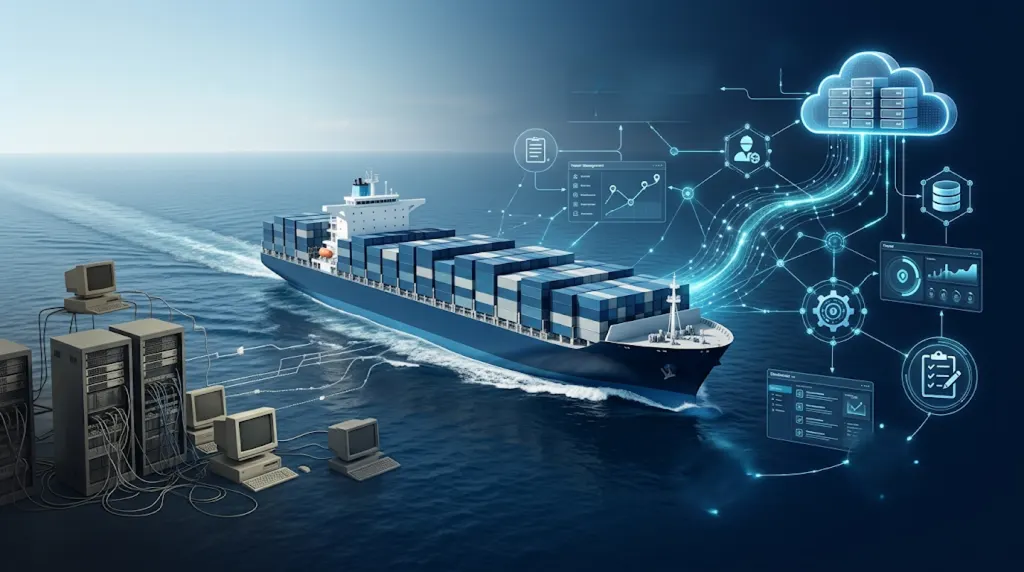
The maritime industry depends on reliable information, timely communication, and smooth coordination between ships and shore-based teams. However, many shipping companies still use older software, spreadsheets, and disconnected applications to manage important business activities.
These systems may have supported operations for years, but growing business needs can expose their limitations. Slow reporting, repeated data entry, limited integrations, and outdated technology can make daily work more difficult.
For companies working with a Marine Software Development Company in Mumbai, modernisation does not have to mean replacing every existing application at once. A carefully planned approach can improve technology while allowing essential operations to continue.
The key is to modernise in stages, protect important business data, and introduce new systems without forcing employees to change every process overnight.
Why Maritime Companies Need to Modernise Legacy Systems
Maritime businesses manage complex operations across vessels, ports, suppliers, customers, and internal departments. Each activity creates information that must reach the right people at the right time.
Older software can make this difficult, especially when different departments use separate applications.
Common Problems with Legacy Maritime Software
Some common challenges include:
- Disconnected applications: Maintenance, procurement, crew management, and accounting may operate through separate systems.
- Repeated data entry: Employees enter the same vessel or transaction details into multiple applications.
- Limited reporting: Managers may need to collect information manually before preparing operational reports.
- Integration problems: Older applications may not support modern APIs or standard data exchange methods.
- Maintenance difficulties: Outdated platforms can become harder to update, support, and secure.
- Limited scalability: Systems designed for smaller operations may struggle as fleets, users, and transaction volumes grow.
These problems can increase administrative work and make it harder for management teams to get a complete view of operations.
Why Replacing Everything at Once Is Risky
A complete software replacement may sound like a simple solution, but it can introduce significant business risks.
For example, a ship management company may depend on its existing application for maintenance schedules, purchase orders, vessel records, and financial reporting.
If the entire system is replaced at once, employees may face unfamiliar workflows. Data may also be transferred incorrectly, and important integrations may stop working.
For businesses that operate across different ports and time zones, even a short interruption can create additional coordination problems.
A better approach is to identify which parts need improvement and modernise them gradually.
7 Practical Ways to Modernise Maritime Systems Without Disruption
Modernisation should follow business priorities rather than technology trends. The following steps can help shipping companies manage the transition more safely.
1. Audit Existing Systems Before Making Changes
Start by understanding the software your company already uses.
Create an inventory of applications, databases, spreadsheets, integrations, and manual processes.
For each system, identify:
- What business activity does it support?
- Which departments and employees use it?
- What information does it store?
- Which other applications depend on it?
- What problems do users experience?
- Can it still receive security and maintenance updates?
This assessment helps identify which systems should be retained, integrated, upgraded, or replaced.
Not every application has the same operational importance.
For example:
System Modernisation Approach Based on Business Importance
- Vessel Maintenance (High): Improve the system gradually while protecting existing maintenance records.
- Crew Management (High): Carefully validate employee data and system integrations.
- Procurement (Medium to High): Introduce workflow improvements in stages.
- Financial Reporting (High): Maintain accurate financial records and ensure proper reconciliation.
- Internal Reporting Tools (Medium): Consider replacing outdated tools with modern dashboards.
The final priority should depend on the company's actual workflows, dependencies, and risk assessment.
. Modernise One Business Function at a Time
A phased approach reduces the need for major changes across the entire organisation.
Instead of replacing the complete ship management platform, start with one business function that causes repeated delays or manual work.
For example, a shipping company could modernise its procurement workflow first.
The first release might include:
- Digital purchase requests.
- Vendor information management.
- Purchase order tracking.
- Approval notifications.
- Basic expense reporting.
The existing maintenance and accounting systems can continue operating while the procurement module is introduced and tested.
Once the new workflow becomes stable, the company can consider expanding the project.
This approach allows a Shipping Software Company in Mumbai to develop solutions around real business priorities rather than recommending an unnecessary complete rebuild.
3. Connect New Applications with Existing Systems
Replacing every legacy application is not always necessary.
Sometimes, the biggest improvement comes from allowing existing applications to exchange information more effectively.
Application Programming Interfaces (APIs) provide a structured way for different software systems to communicate.
For example:
A vessel management application may store vessel information, while an accounting application handles invoices and payments.
An integration layer can allow authorised information to move between these systems without employees repeatedly entering the same details.
Useful integration opportunities include:
- Vessel records and maintenance schedules.
- Procurement and accounting applications.
- Crew information and certification records.
- Port call information and document management.
- Customer records and operational reporting.
The objective is to create better information flow while preserving applications that still perform their jobs well.
When planning these connections, companies should also consider data formats, access permissions, error handling, and the availability of reliable interfaces.
4. Migrate Data in Small, Controlled Stages
Data migration is one of the most important parts of software modernisation.
Maritime companies may hold years of operational records, including vessel details, maintenance history, supplier information, invoices, crew records, and compliance documents.
Moving this information without proper checks can create serious problems.
A controlled migration process should include:
Step 1: Identify important data
List the records that must move to the new application.
Step 2: Clean existing information
Identify duplicate entries, missing fields, outdated records, and inconsistent formats.
Step 3: Define data mapping
Decide how each field in the old system will match the corresponding field in the new system.
Step 4: Test sample records
Transfer a limited dataset and check whether the information appears correctly.
Step 5: Reconcile the results
Compare record counts, financial values, vessel identifiers, and other important information.
Step 6: Approve the migration
Move to the next stage only after the responsible teams confirm that the results are accurate.
Keep secure backups and a tested recovery plan before making major changes.
5. Run Old and New Systems in Parallel
One practical way to reduce migration risk is to operate the old and new systems together for a limited period.
This is known as parallel running.
For example, a company introducing a new vessel maintenance application can continue recording approved information in its existing system while selected users test the new application.
The teams can compare:
- Maintenance schedules.
- Open work orders.
- Completed repair records.
- Equipment information.
- Pending activities.
- Operational reports.
If the new system produces incorrect information, the issue can be investigated before the old application is retired.
However, parallel running needs clear rules. Teams must know which system is the official source for each record. Otherwise, duplicate updates and conflicting information may appear.
6. Test the New System Before Expanding Its Use
Software should be tested under realistic business conditions before it becomes part of critical operations.
A successful demonstration does not necessarily mean that an application is ready for daily use.
Testing should cover both normal workflows and unexpected situations.
Important test areas include:
- User login and access permissions.
- Vessel and crew record accuracy.
- Purchase order creation and approval.
- Data exchange between connected applications.
- Report generation.
- Backup and recovery.
- Error handling during failed integrations.
- Performance during higher workloads.
- Mobile access and limited internet connectivity.
Maritime software must support people working in different environments.
A shore-based operations manager may have reliable internet access, while a vessel may experience limited connectivity.
The new application should be tested for these conditions.
Where required, offline data entry and secure synchronisation can help users continue selected activities when connectivity is unavailable.
Feedback from actual users can also reveal problems that technical testing alone may miss.
7. Train Employees and Introduce Changes Gradually
Technology modernisation is not only a software project. It also changes how people work.
Employees who have used the same system for years may need time to understand new processes.
A practical adoption plan should include:
- Short training sessions for each department.
- Simple user guides and instructions.
- Demonstrations using familiar business scenarios.
- A support channel for reporting problems.
- Feedback sessions during the initial rollout.
Avoid introducing too many changes at the same time.
For example, procurement employees can learn the new purchasing workflow before the company introduces additional changes to accounting and maintenance applications.
This helps teams adapt without creating unnecessary pressure on daily operations.
Important Risks to Consider During Maritime System Modernisation
Even a phased project requires proper planning. Some risks need attention from the beginning.
Cybersecurity and Data Protection
Connecting older systems with new applications can introduce additional security risks.
Companies should review user permissions, authentication, data encryption, backup procedures, and system monitoring.
The International Maritime Organization provides guidance on maritime cyber risk management.
Cybersecurity should be considered throughout the project, not added only after implementation.
Regulatory and Documentation Requirements
Maritime companies exchange information with ports, authorities, customers, and other service providers.
Their systems must support applicable documentation and reporting requirements.
The IMO's Maritime Single Window framework has required electronic information exchange through a single entry point for ship clearance processes since 1 January 2024.
This makes structured information, interoperability, and reliable data exchange important considerations when modernising maritime applications.
Read the IMO guidance on Maritime Single Windows when planning relevant integrations.
Vendor and Integration Dependencies
Some legacy applications depend on third-party vendors or older technology.
Before changing them, check whether technical documentation, integration access, support, and data export options are available.
Do not assume that every older application can connect directly to a new platform.
A technical assessment can help identify these limitations before implementation begins.
How to Measure the Success of Modernisation
Modernisation should deliver improvements that businesses can measure.
Before starting, record the current performance of important processes. Compare the results after each implementation phase.
Useful performance indicators include:
Key Measurements to Evaluate System Modernisation
- Manual data entry time: Measures whether repeated administrative tasks have been reduced.
- Report preparation time: Evaluates whether information is easier and faster to access.
- Integration error rate: Checks whether different applications exchange data reliably.
- System availability: Measures whether critical applications remain accessible when needed.
- Data migration accuracy: Ensures that transferred information is complete and correct.
- User adoption: Tracks whether employees are actively using the new system.
- Support incidents: Helps assess the stability of the new application and identify recurring issues.
For example, a company may want to reduce the time required to prepare a weekly fleet report.
The project team can record the current preparation time and compare it with the time required after the reporting workflow has been modernised.
This provides a clearer view of business value than simply counting the number of new features delivered.
How Unovative Can Help
Modernising legacy applications requires an understanding of both business operations and technology.
Unovative is an IT and AI software company based in Palghar, Maharashtra, with an international presence in Vietnam. It works on enterprise applications, custom software, business automation, and digital transformation.
For maritime businesses exploring solutions with a Marine Software Development Company in Mumbai, Unovative's enterprise application and technology consulting capabilities are relevant to several modernisation requirements.
Its approach can support areas such as:
- Legacy application modernisation: Assessing older business applications and identifying suitable upgrade or replacement options.
- Custom enterprise applications: Developing software around specific operational requirements.
- API and system integration: Connecting business applications to improve information exchange.
- Workflow automation: Reducing repetitive administrative tasks through structured digital workflows.
- Data and reporting solutions: Making business information easier to access and analyse.
- Digital transformation planning: Creating a phased roadmap based on business priorities.
Through its Enterprise Application Services, Unovative focuses on modernising applications, connecting enterprise data, and developing scalable digital platforms.
Its Digital Transformation services also support organisations looking to improve existing applications while keeping technology aligned with changing business needs.
For shipping companies in Mumbai, Palghar, and surrounding business regions, the first step can be a review of existing applications, operational dependencies, and areas where modernisation could make the greatest difference.
To discuss your requirements, contact Unovative.
Conclusion
Maritime companies do not need to replace every legacy application to improve their technology.
A phased modernisation strategy can help businesses upgrade important workflows, connect disconnected systems, improve data quality, and introduce better reporting while protecting ongoing operations.
The most effective starting point is to understand the existing technology landscape, identify the biggest operational challenge, and introduce changes in controlled stages.
By combining careful planning, data validation, integration testing, employee training, and ongoing monitoring, shipping companies can move towards modern digital systems without making unnecessary changes to the way their daily operations function.
Looking to modernise your maritime operations? Book a 30-minute consultation with Unovative to discuss your technology requirements and explore practical modernisation solutions.