
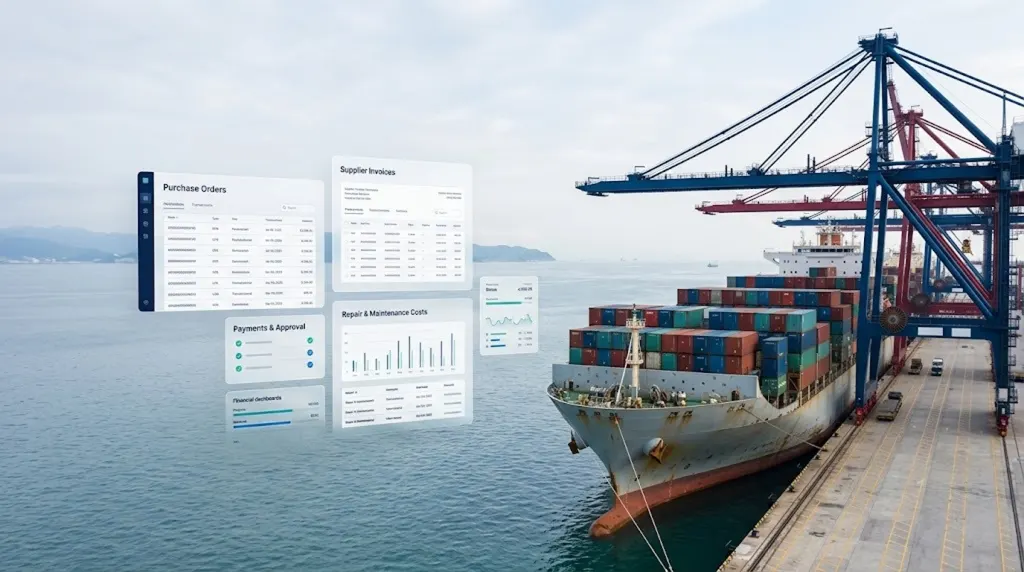
Managing a vessel involves more than planning voyages and maintaining equipment. Ship managers must also control purchases, approve supplier invoices, monitor payments and record repair expenses. Without a clear process, it can be difficult to understand where money is going and whether spending matches the approved budget.
Ship management cost tracking helps bring these activities into one organised process. It connects purchase orders, supplier invoices, payments and maintenance records so that managers can review expenses and make informed decisions.
For shipowners, fleet managers, technical superintendents and finance teams, better cost tracking can reduce manual work, improve financial visibility and support more consistent reporting across vessels.
Why Purchase Orders, Payments and Repair Costs Need to Be Connected
A purchase order (PO) is a formal record of goods or services requested from a supplier. It usually contains the items, quantities, agreed prices, delivery details and approval information.
A payment record shows when a supplier was paid, how much was paid and whether any amount remains outstanding. Repair cost records capture expenses related to maintenance work, spare parts, labour and external service providers.
These records are closely connected, but they often sit in different systems.
For example, a technical team may request a spare part by email. The purchasing team may create a PO in a spreadsheet, while the supplier sends an invoice to the finance department. Later, the repair expense may be entered into a separate maintenance report.
If these records are not linked, managers may struggle to answer simple questions:
- Was the purchase approved?
- Did the supplier deliver the requested items?
- Does the invoice match the purchase order?
- Has the invoice been paid?
- Which vessel or repair job should carry the expense?
- How much of the maintenance budget remains?
A connected tracking process helps answer these questions without searching through multiple files.
Common Cost Tracking Problems in Ship Management
Several issues can affect financial control across a fleet.
Scattered records: Purchase orders, invoices and repair reports may be stored in different folders, emails or spreadsheets.
Unclear approvals: Teams may not know who approved a purchase or whether the final cost exceeded the approved amount.
Duplicate purchases: Without a shared view of open orders, staff may order items that another team has already requested.
Delayed payments: Missing documents or unclear invoice status can delay payment processing.
Incomplete repair costs: The final cost of a repair may exclude labour, spare parts, transport or third-party service charges.
Limited vessel-level reporting: Managers may find it difficult to compare spending across vessels or identify recurring expenses.
These problems do not always mean that a company needs a completely new system. Sometimes, clearer procedures and a shared tracking register are enough. More complex fleets may benefit from integrated ship management software.
1. Create a Central Purchase Order Register
The first step in ship management cost tracking is to maintain one reliable record of every purchase order.
A central register allows purchasing, technical and finance teams to check the status of an order without relying on separate updates.
What information should a purchase order contain?
Each purchase order should have a unique PO number and include the key details needed to follow it from request to payment.
For example, suppose a vessel needs replacement pump components. The technical team raises a request, the purchasing team creates a PO, and the authorised manager approves it.
When the parts arrive, the receiving team records the quantity received. Finance can then compare the supplier invoice with the approved order and the delivery record.
This creates a clear history of the transaction.
Track each order through defined stages
Use consistent status labels, such as:
- Draft
- Pending approval
- Approved
- Ordered
- Partially received
- Fully received
- Invoice under review
- Partially paid or paid
- Closed or cancelled
A purchase should not be marked as complete simply because an order was sent to a supplier. The company should define what completion means, including receipt, invoice checks and payment where applicable.
2. Match Supplier Invoices Before Making Payments
A purchase order shows what the company agreed to buy. An invoice shows what the supplier is requesting payment for. A delivery or service confirmation shows what was actually received.
Comparing these records before payment is a useful financial control.
Use a three-way invoice check
Where appropriate, compare three records:
- Purchase order: What was approved and ordered?
- Receipt or service confirmation: What was delivered or completed?
- Supplier invoice: What is the supplier charging?
For example, a PO may approve 10 replacement filters at ₹2,000 each. The expected goods value is ₹20,000 before any applicable taxes, freight or other charges.
If the supplier invoice lists 12 filters, finance should investigate the difference before approving payment. The extra two units may have been separately authorised, or the invoice may contain an error.
The process should allow legitimate differences, such as agreed freight charges, tax treatment or approved changes to the order. It should not automatically reject every difference.
Record invoice details clearly
For each invoice, track:
- Invoice number and date.
- Related PO number.
- Supplier name.
- Vessel or cost centre.
- Invoice amount and currency.
- Applicable taxes and additional charges.
- Due date and payment terms.
- Review and approval status.
- Disputed amount, if any.
- Payment reference and date.
This information helps finance teams identify upcoming obligations and follow up on incomplete documentation.
3. Track Supplier Payments and Outstanding Balances
Recording an invoice does not mean that it has been paid. Payment tracking should be a separate stage in the process.
A payment register helps the finance team understand what has been paid, what is due soon and which invoices need attention.
Use clear payment statuses
A practical set of statuses includes:
- Awaiting invoice
- Invoice received
- Under verification
- Pending approval
- Approved for payment
- Scheduled for payment
- Partially paid
- Paid
- On hold or disputed
The register should also show the invoice due date, payment date, payment reference and remaining balance.
For example, if a supplier invoice totals ₹1,00,000 and the company pays ₹60,000 initially, the system should show ₹40,000 remaining. It should not mark the full invoice as paid.
For international suppliers, record the invoice currency, payment currency and any exchange-rate details required by the finance team. Otherwise, comparisons between the PO amount and the final amount recorded in the company's accounts may be misleading.
Build a simple payment dashboard
A payment dashboard can show:
- Total value of open purchase orders.
- Total value of invoices awaiting approval.
- Payments due within the next seven or 30 days.
- Overdue invoices.
- Partially paid invoices.
- Payments made during a selected period.
- Supplier balances by vessel or department.
These indicators help managers plan cash flow and identify delays before they affect supplier relationships.
Payment approvals, bank transfers and accounting entries should remain subject to the company's financial controls. A tracking dashboard provides visibility; it should not replace the required approval process.
4. Track Ship Repair Costs Against Each Vessel and Job
Repair costs can be difficult to control because a single maintenance job may involve several types of expense.
A repair may include spare parts, technician labour, contractor fees, transport, port-related services and follow-up work. If these costs are recorded separately, the total expense can be hard to calculate.
Create a unique repair job or work order ID
Every repair should have a unique reference linked to the vessel and equipment involved.
Record details such as:
- Vessel name or ID.
- Equipment or component.
- Description of the defect.
- Repair job or work order number.
- Date the issue was reported.
- Estimated repair cost.
- Approved budget.
- Supplier and contractor details.
- Related purchase orders.
- Parts and services received.
- Actual costs and invoice references.
- Repair completion date.
- Final approval status.
This creates a record that connects the technical work to its financial impact.s
5. Link Purchase Orders to Maintenance Work Orders
One of the most useful improvements is to connect purchasing records with repair and maintenance records.
When a spare part is purchased for a specific repair, the PO should reference the related work order. This helps the company identify why the item was bought and which vessel should carry the expense.
For example:
A vessel reports a faulty cooling pump. The technical team creates work order WO-1042. Purchasing raises PO PO-2087 for the replacement pump and links it to the work order. When the supplier invoice arrives, finance records it against the PO and repair job.
The repair record can then show the part cost alongside any related labour and service charges.
This link helps answer questions such as:
- Which repairs use the most money?
- Which equipment creates repeated expenses?
- Are parts being purchased for approved work?
- Are repair jobs regularly exceeding their budgets?
- Which suppliers are associated with frequent delays or invoice differences?
It also helps prevent expenses from being assigned to the wrong vessel or department.
6. Use Budget Alerts and Cost Reports
Tracking expenses is most useful when managers can act on the information.
Set a budget for each repair job, vessel or suitable cost category. Then define when an alert should be raised.
For example, the system may flag a repair when committed and actual costs reach 80% of its approved budget. It may require additional approval when the forecast total exceeds the budget.
The exact thresholds should match the company's policies. An urgent repair should not be delayed by a routine alert when safety or operational needs require immediate action. The process should instead provide a documented exception and suitable approval route.
Reports worth reviewing each month
A ship management cost report can include:
- Purchase orders raised and approved.
- Orders still awaiting delivery.
- Invoices awaiting review.
- Payments due and overdue.
- Repair costs by vessel.
- Estimated versus actual repair spending.
- Open work orders and their committed costs.
- Supplier spending and invoice discrepancies.
- Recurring repair expenses by equipment type.
Reviewing these reports regularly can help management identify patterns, improve purchasing decisions and plan future maintenance budgets.
7. Choose the Right Tools for Cost Tracking
A spreadsheet may be sufficient for a small operation with a limited number of vessels and transactions. However, spreadsheets can become harder to manage when several teams update records, approval requirements grow or purchasing and accounting data need to be connected.
A dedicated ship management system or custom application may be worth considering when the company needs shared records, workflow automation, audit trails and vessel-level reporting.
The right choice depends on the size of the operation, current software, budget and business requirements. A new platform should solve a clear problem rather than add complexity.
Protect financial and vessel data
Purchase orders, invoices and repair records may contain sensitive commercial information. Access should be limited to authorised users, and important changes should be traceable.
The International Maritime Organization highlights the need to manage cyber risks that could affect shipping operations and information systems. Its maritime cyber risk guidance is a useful reference when planning connected digital systems.
Before adopting a platform, assess user permissions, backups, data retention, integration security and recovery procedures. These controls matter when financial workflows connect with operational records.
How Unovative Can Help
Ship managers may need to connect purchasing, maintenance and finance workflows without forcing every team to work in separate tools.
Unovative is an IT, AI software and technology consulting company based in Palghar, Maharashtra. Its published services include custom applications, enterprise technology and digital transformation.
Depending on a shipping company's requirements, a digital project could explore:
- A central purchase order and supplier register.
- Work order records linked to repair expenses.
- Dashboards for invoice status, payments and budget tracking.
- Automated reminders for pending approvals and due dates.
- Connections between compatible maintenance, purchasing and finance systems.
- Reports that help authorised managers review spending by vessel or repair job.
These are possible solution concepts, not a claim that every maritime cost-tracking feature is already available as a standard Unovative product. The required functions, integrations and scope would need to be assessed before development.
Learn more about Unovative's digital transformation services or explore its maritime software and fleet management insights.
If your organisation is reviewing its ship management processes, start by listing the information teams currently track, the steps that cause delays and the reports managers need. This will help define a practical solution based on your actual workflow.
Conclusion
Tracking purchase orders, supplier payments and repair costs requires more than maintaining separate lists. The records need to connect so that managers can follow each expense from the original request through approval, delivery, invoicing and payment.
Start with a central PO register, verify invoices against orders and receipts, track outstanding balances, and assign repair expenses to the correct vessel and work order. Add budget alerts and regular reports to make cost differences easier to investigate.
As the fleet and number of transactions grow, integrated ship management cost tracking can provide a clearer view of committed spending, completed repairs and unpaid invoices. The best approach is one that fits the company's operational needs, supports sound financial controls and keeps records accurate.